
# Google Sheets Add-on Errors
This page lists common errors and solutions when using the Sports Odds Plus add-on for Google Sheets (opens new window).
# "Authorization is required to perform that action"
# Issue
After successfully installing and authenticating the Sports Odds Plus add-on for Google Sheets (opens new window), some users encounter the following error message: Authorization is required to perform that action
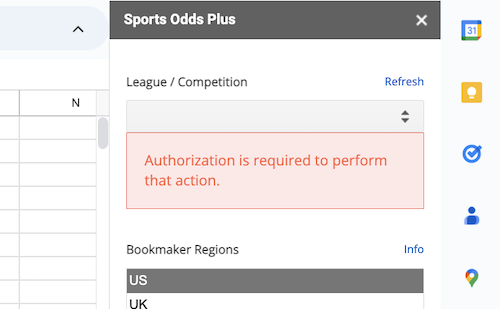
# Cause
This issue is most likely seen if you are logged in to multiple Google accounts. The add-on becomes authenticated for your default account, but you are trying to use the add-on under a different account. This is a known bug with Google Sheets add-ons.
Google is aware of the issue. More technical info on this bug the can be found on Google's issue tracker (opens new window).
# Solutions
Any of these solutions might help:
Use the add-on in a private browser window (for example, Incognito mode in Chrome)
Use the add-on with a different browser, with only 1 signed in Google account
Log out from all accounts, and log in first to the account running the add-on
# "Bandwidth Quota Exceeded"
# Issue
When querying the API in Apps Script using UrlFetchApp, some requests fail intermittently with an error similar to
Exception: Bandwidth quota exceeded: https://example.com/. Try reducing the rate of data transfer.
This issue might also appear when using the add-on, which uses UrlFetchApp behind the scenes.
# Cause
This appears to be due to a bug in Apps Script, first reported on September 11, 2025. Details can be found on Google's Issue Tracker (opens new window)
# Solutions
As of early October 2025, Google is investigating the cause but does not have more details. For the latest updates, see this issue on Google's Issue Tracker (opens new window).
# Other Issues
If you encounter other issues with the add-on, let us know at team@the-odds-api.com